Here is the complete step by step guide to change MAC address in Android device :
Requirements:
1. Rooted Android device.
2. Busy Box App
3. WiFi Mac changer App.
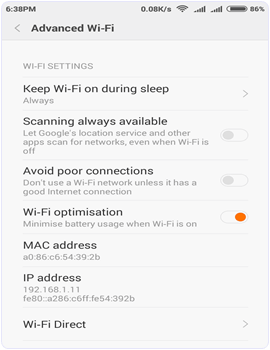
How To Check Your Mac Address On Android.
To check your MAC address follow the Steps below.
- Open the Setting app of your phone.
- Then tap on the About phone option.
- Here you will find all the information about the phone regarding IMEI, MAC address, Android version etc
Procedure To Change Mac Address On Android :
Part 1:- ROOTING.
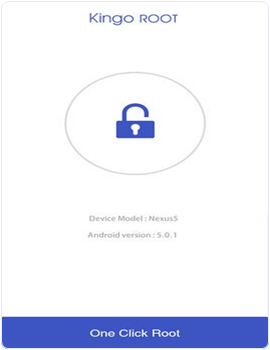
Root access provides permissions to edit the files in the root storage of device memory where the firmware is installed. We can do many amazing experiments with root access. Rooting an Android phone in so simple but Android users are always afraid of rooting because it void our phone warranty and can also brick our phone. It may even compromise on security. But in this article we are going to discuss simple way of rooting without connecting to
1. First of all download and Install
2. Now connect with WiFi or enable your cellular data. For fast rooting WiFi is recommended.
3. Launch the app and tap on one click root option.
4. It takes 2 to 5 minute for rooting depending on your WiFi speed.
5. Now, you will see root succeeded message and it will Install kingo superuser app to your phone to manage your root permissions.
Part 2:- Install Busy Box.
1. Download and Install busybox from the link below.
Keyword Researcher - SEO Software / Finds Long Tail Keywords for fast Ranking and fast SEO for your youtube videos and making high money from youtube.
A Software Application That Helps You Discover Long Tail Keywords. Organize Your Keywords. Import Csv Files From The Google Keyword Tool. Write Web Content. And, Plan A Web-content Strategy For Your Website. Watch Our Video Now! Click Here!
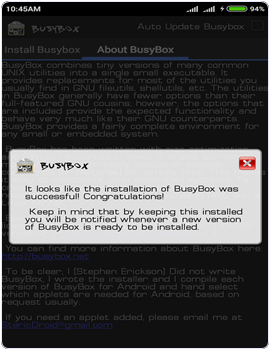
2. After installation open the app and and it will take few minutes to gather your phone information.
Part 3:- Install WifiMac Changer.
1. After that Install the WiFi Mac changer App.
2. After installation open the app and and it will take few minutes to gather your phone information.
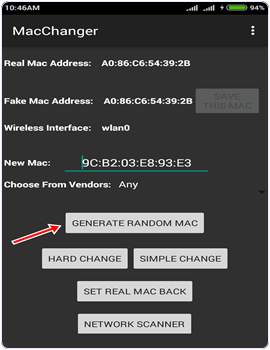
3. Now click on the generate random Mac address button to get a new MAC address or you can also type Mac address yourself.
4. After that click on the hard change button. Our phone goes to airplane mode and our Mac address is changed.
5. Click on the set real Mac back button to get your Mac address back.
6. If it fails to change the Mac address then open the busy box.
7. Wait until busybox gather your device information. Then minimize the busybox and follow the above steps in WiFi Mac changer App to change the MAC address.
In conclusion, make sure you know what you are doing with your device while trying to change MAC Address on android as it may brick your phone and void your warranty. For any help or assistance, please use the comment section below.
mac address and mac address changer macchanger
mac spoofing
mac changer
windows 7 mac address
what's my mac address
mac spoofer
change mac
mac address iphone
mac changer apk
clone mac address
mac spoofer apk
wifi mac changer